

KARFUN Wireless Mouse, Bluetooth Mouse & 2.4GHz Two Mode Wireless Mouse, 7 Color Breathing Lights Computer Mouse for Laptop/MacBook/PC/Tablet/iPad, Rechargeable 2.4G Wireless Bluetooth Mouse (Black)
 Gadronics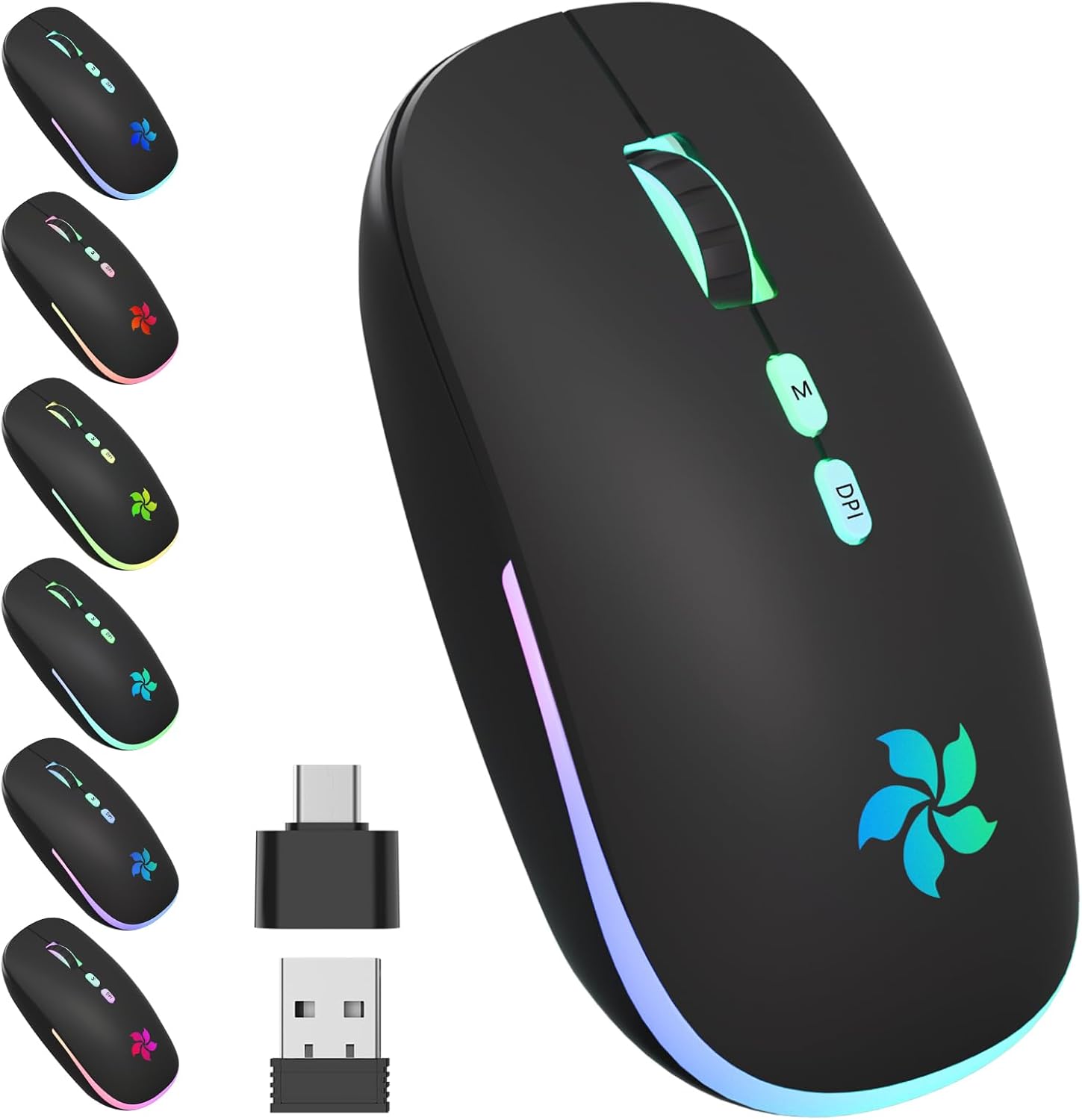



Price: $15.97 - $11.97
(as of Dec 13, 2024 21:15:34 UTC – Details)

Product Description
KARFUN 7 Colorful Rechargeable Silent Bluetooth+2.4GHz Dual Mode Wireless Mouse 


1 Bluetooth+2.4GHz DualMode
2 Silent & Durable Clicks
3 Keystrokes Tests
4 2.4GHz Wireless Connect


1 Slim & Lightweight Mouse
2 Plug & Play Usb Receiver
3 Rechargeable Battery


1 7 Fantastic RGB Backlits
2 Fancy Gaming Environment
Led Colorful Light: This power-saving bluetooth wireless mouse with 7 different colorful breathing lights, 7 different color changes randomly while in use. The bottom of the mouse has a switch, you can switch lights freely. Low-key or sparkle, switch in one second, offering soothing light, creating a cool and fancy atmosphere for work and play
3 DPI Switch Computer Mouse: 3 Adjustable DPI switches (800, 1200, 1600) freely change the mouse speed to meet different needs. Resolution optical tracking technology provides sensitivity and precise tracking on a wide range of surfaces. Plug and Play Wireless Mouse, 2.4GHz wireless technology provides a powerful and reliable connection, effective up to 10 meters of range, no need to install software that can be used for gaming or daily work
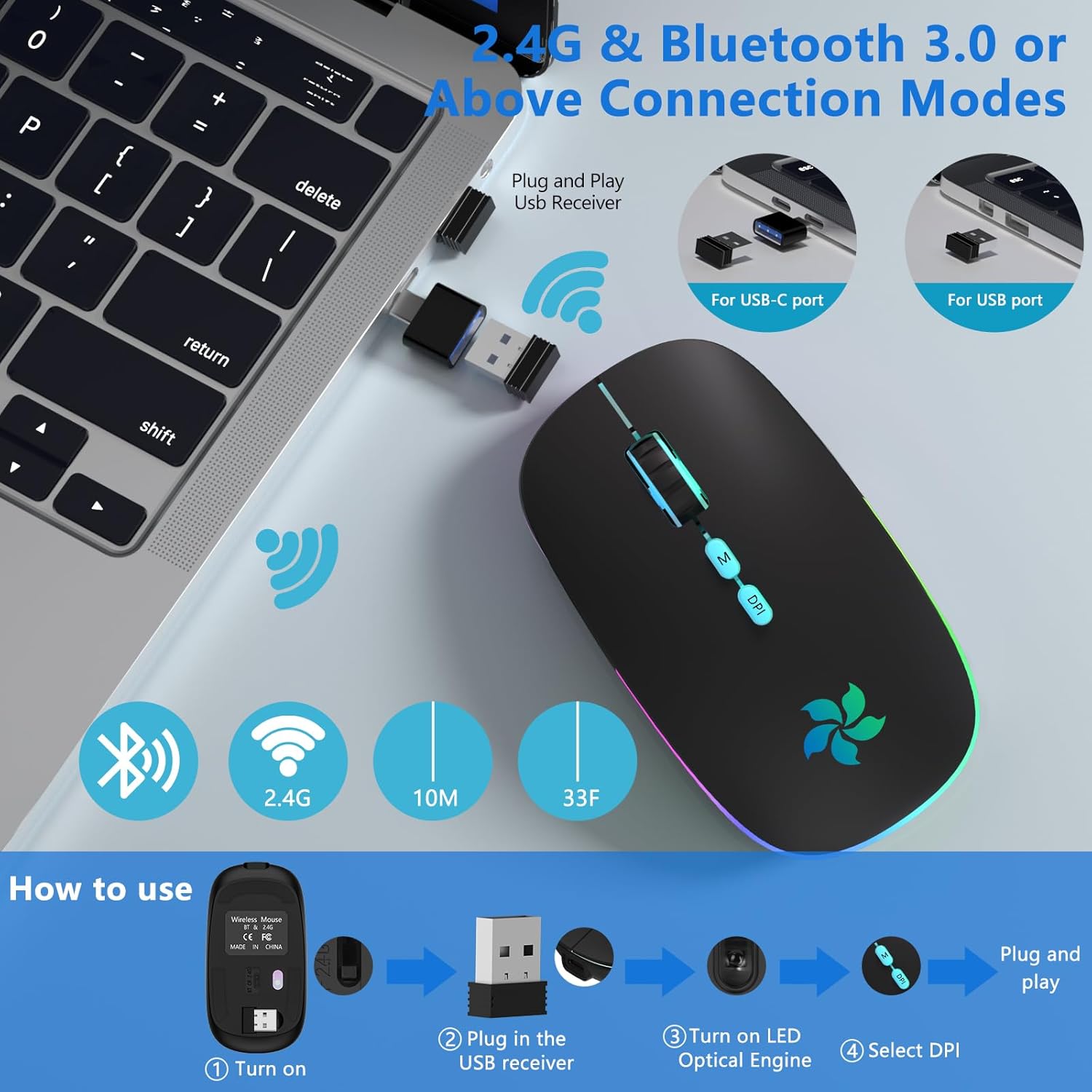
Bluetooth+2.4GHz Dual Mode: 2 in 1 Bluetooth+2.4GHz Wireless Bluetooth Mouse. Easy to switch for any occasion. When the wireless mouse button switch is in 2.4G mode, plug and play, or connect your laptop’s Bluetooth to use the Bluetooth wireless mouse, simple & convenient to work. Note: You can’t use Bluetooth mode and 2.4G mode at the same time
2.4G Mode High-Efficiency Connect Step: 2.4G Mode: ① Take the receiver out from the bottom of the mouse. ② Plug the receiver into the USB port of your computer ( lf your laptop USB interface is Type C, pls plug the additional Type C to USB adapter to laptop first, then plug the USB Receiver to adapter interface ). ③ Switch from “ON/OFF” button to 2.4G Mode, then you can use the mouse in 2.4GHz Mode. Note: The receiver can be reserved on the bottom of the mouse after using, prevent losing it
Bluetooth Mode Connect Step: 1. Laptop Bluetooth Mode: ① Switch from “ON/OFF” button to left (Bluetooth Mode); ② Turn on the laptop Bluetooth function: Setting-Device-Add Bluetooth or other Device-Click Bluetooth-Searching”BT5.1 Mouse”and pair. 2. Tablet Bluetooth Mode: (Note: please make sure your tablet operating system is Android 5.1 and later or iOS13 and later). ① Switch from “ON/OFF” button to left(Bluetooth Mode); ② Click “Settings”-“Bluetooth”-Turn on Bluetooth-Search “BT5.1 Mouse”and pair. Note: if the Bluetooth cannot connect the mouse or the mouse key does not appear after connecting the Bluetooth, please open: Setting-Accessibility-Touch-Assistive Touch-Turn on”Mouse Key”
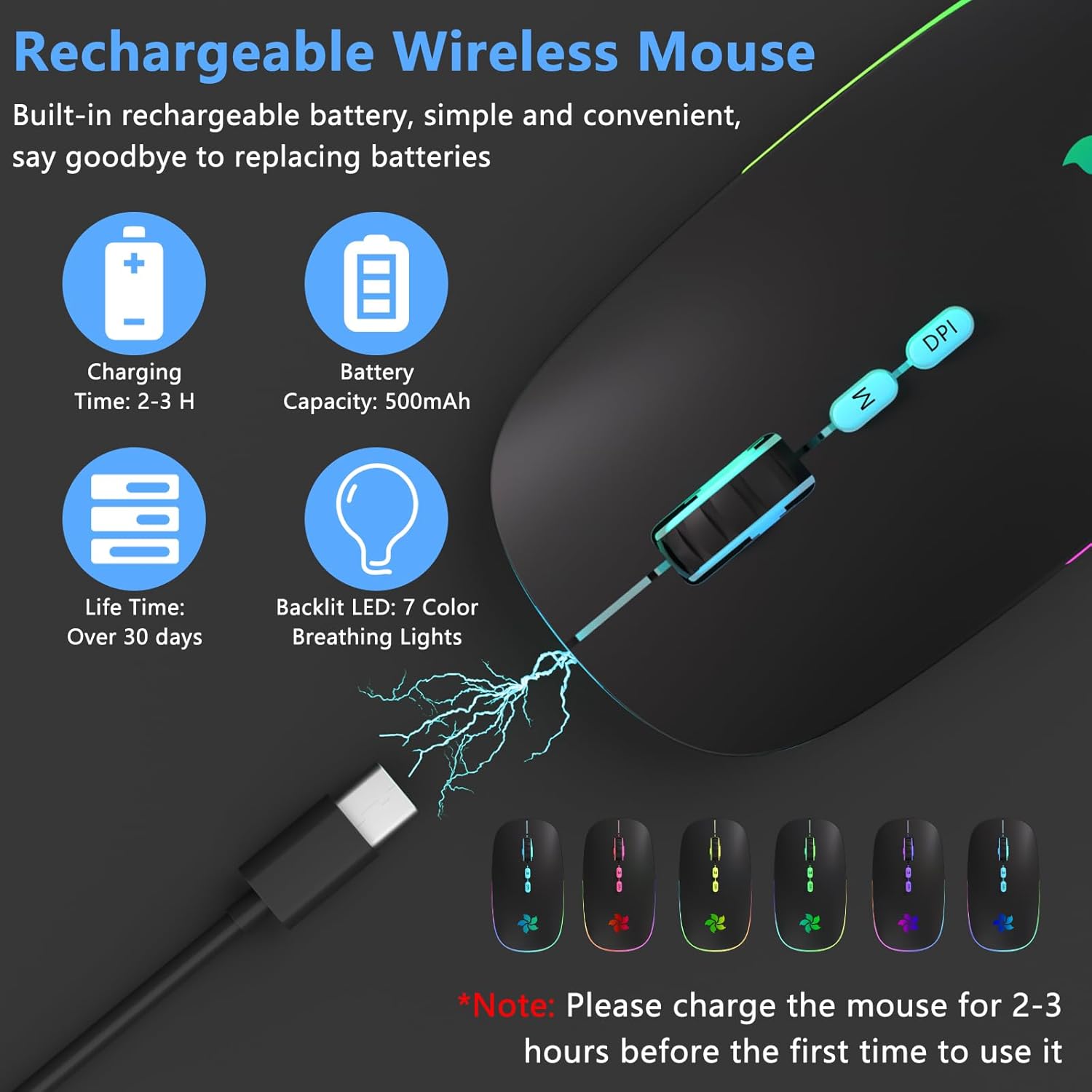
Rechargeable Optical Mouse: Cordless mouse with built-in rechargeable lithium battery, high cycle life. The mini mouse has no need to change the battery, it can be easily charged using the included USB cable, just 2-3 hours charging. You can use more than 7 days of working time and 30 days of standby time. Please charge the mouse for 2-3 hours before the first time to use it
Fault Resolution: ① It’s out of power if the mouse LED lights stop. Please recharge it. ② After completing the first pairing of the mouse and computer, you do not need to pair it again when you use it later. Turn the mouse switch to the position indicated by Bluetooth and double-click the right button to pair with your computer successfully. ③ If you don’t want to pair with the Bluetooth mouse, in the “Bluetooth and other devices” interface, click the BT5.1 mouse to delete the device and select yes
Fault Resolution: ④ If the computer cannot find the Bluetooth mouse during pairing, you need to confirm if the switch on Bluetooth mode, then power on the mouse again. Please confirm whether the Bluetooth mouse is connected to other computers. If it is already connected to other computers, please remove the connection firstly, and then follow the above steps to pair again. ⑤To save power and provide long-term usage, the wireless mouse will fall asleep after 10 minutes of no-operation. It can waken up by click any button. ⑥ If you do not use the mouse for a long time, please turn off the “OFF” button to save power
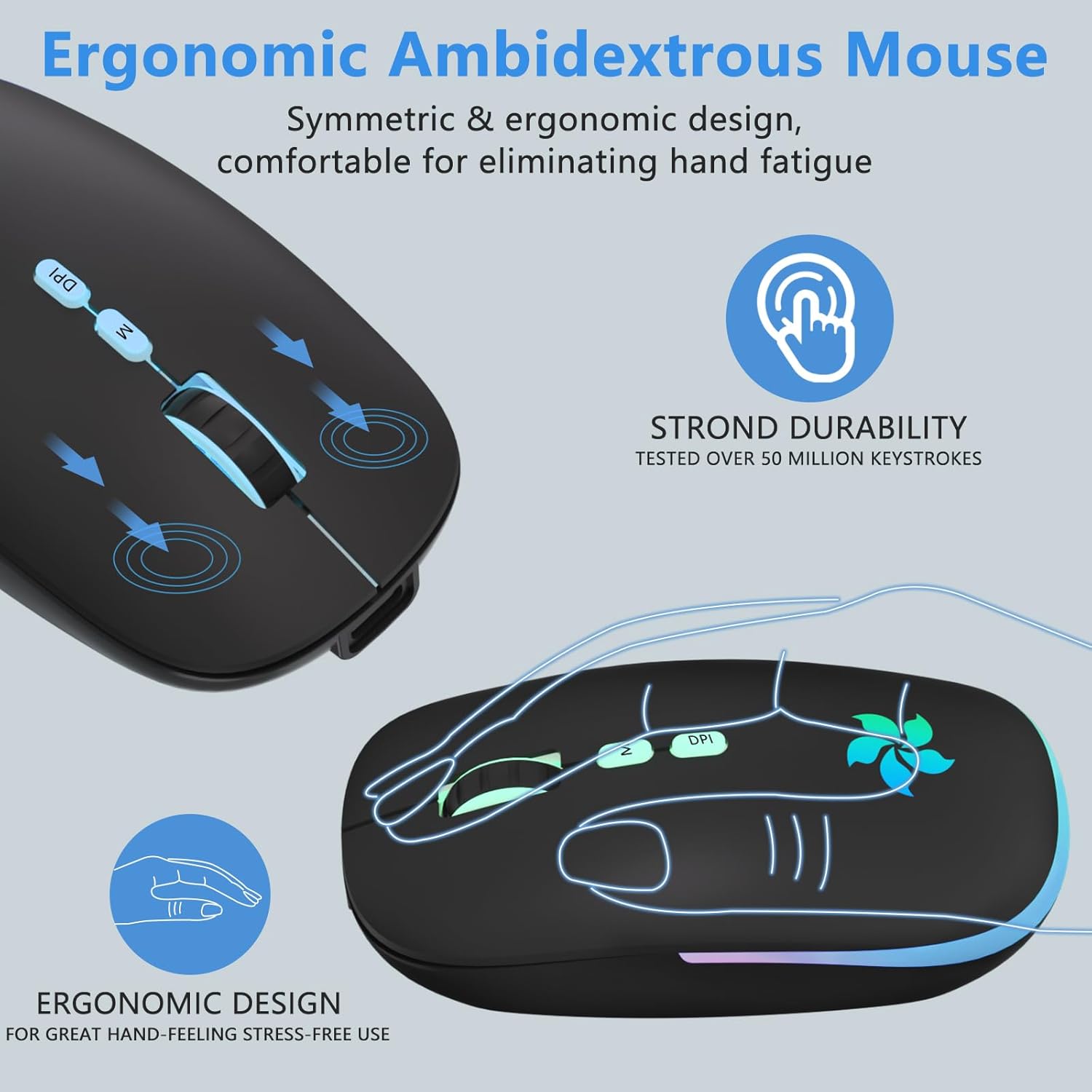
Silent & Comfortable Mouse: Silent click wireless mouse with a classic ergonomic design offers your hand maximum support and comfort. The silent button reduces 90% noise, helps you concentrate on your work/study without disturbing others besides you, which makes it an ideal wireless mouse for office, conference room, cafe, library, or bedroom. Ultra-thin, lightweight and convenient for carrying or traveling
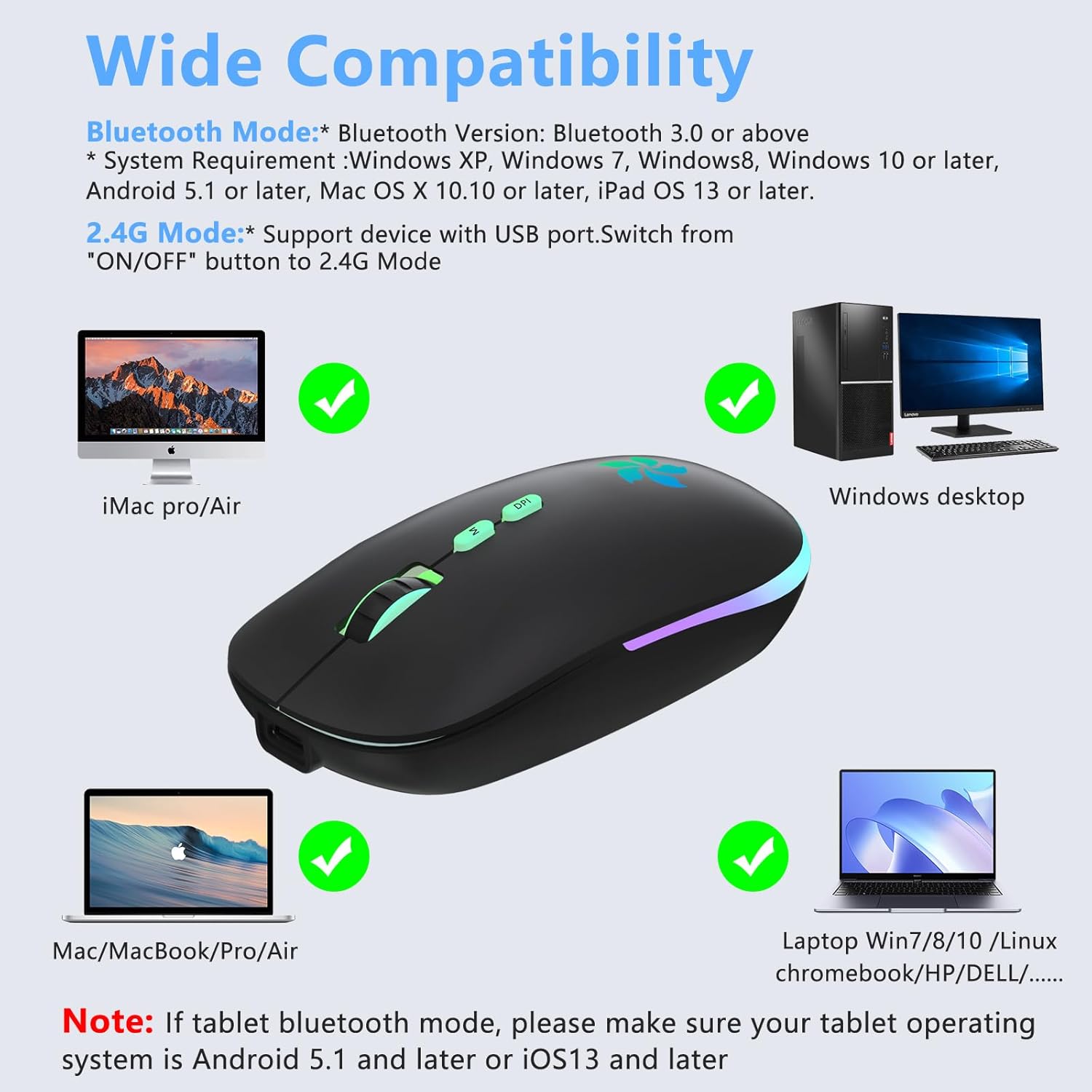
Wide Compatibility: System Requirement ① Bluetooth Mode:* Bluetooth Version: Bluetooth 3.0 or above. * System Requirement :Windows XP, Windows 7, Windows8, Windows 10 or later, Android 5.1 or later, Mac OS X 10.10 or later, iPad OS 13 or later. ②2.4G Mode: Support device with USB port. 2.4GHz wireless mode works with computer, laptop, desktop with USB, type-c port, plug and play. The USB receiver is stored inside the back of the mouse. Note: 1. Hardware: PC with USB 2.0 and above; 2. Operating System: Mac OS, dos, Windows 2000, 2003, XP, Vista, Win7, Win8, Win10. The scroll wheel only works under the operating systems listed above. Please check or update the operating system before use
Customers say
Customers appreciate the mouse’s color and design. They find it easy to use, with a quick setup and seamless syncing to computers. The color change feature and comfort are also appreciated. However, some customers have mixed opinions on functionality, charge retention, value for money, and light level.
AI-generated from the text of customer reviews



