

MMOBIEL OBD2 Scanner Bluetooth – Car Scanner Compatible with iOS, iPhone, iPad and Android – OBD2 Reader Car Diagnostic Tool Wireless OBD Car Code Reader – Check Engine Code Reader – Upgraded V2.1
Original price was: $119.95.$7.99Current price is: $7.99.




OBD2 Car Scanner Tool
The OBD2 Scanner with Bluetooth V2.1 gives you access to information about your vehicle’s engine, emissions, and other useful data via your phone, tablet or computer through Bluetooth. You can find out why your engine light is on and fix simple problems by yourself, making the scanner extremely convenient for any technician or vehicle owner.
More Than a Diagnostics Scanner
The OBD2 car code reader is able to read and interpret over 3000 different error messages so you will always know exactly what the problems are. Besides that, the car diagnostics tool makes it possible to interpret fault codes, clear car fault codes, display sensor data such as engine speed, coolant temperature, car speed and more.
Important: Always take the scanner out of the OBD port. Leaving the scanner in the port can slowly drain your battery over time.
Compatibility
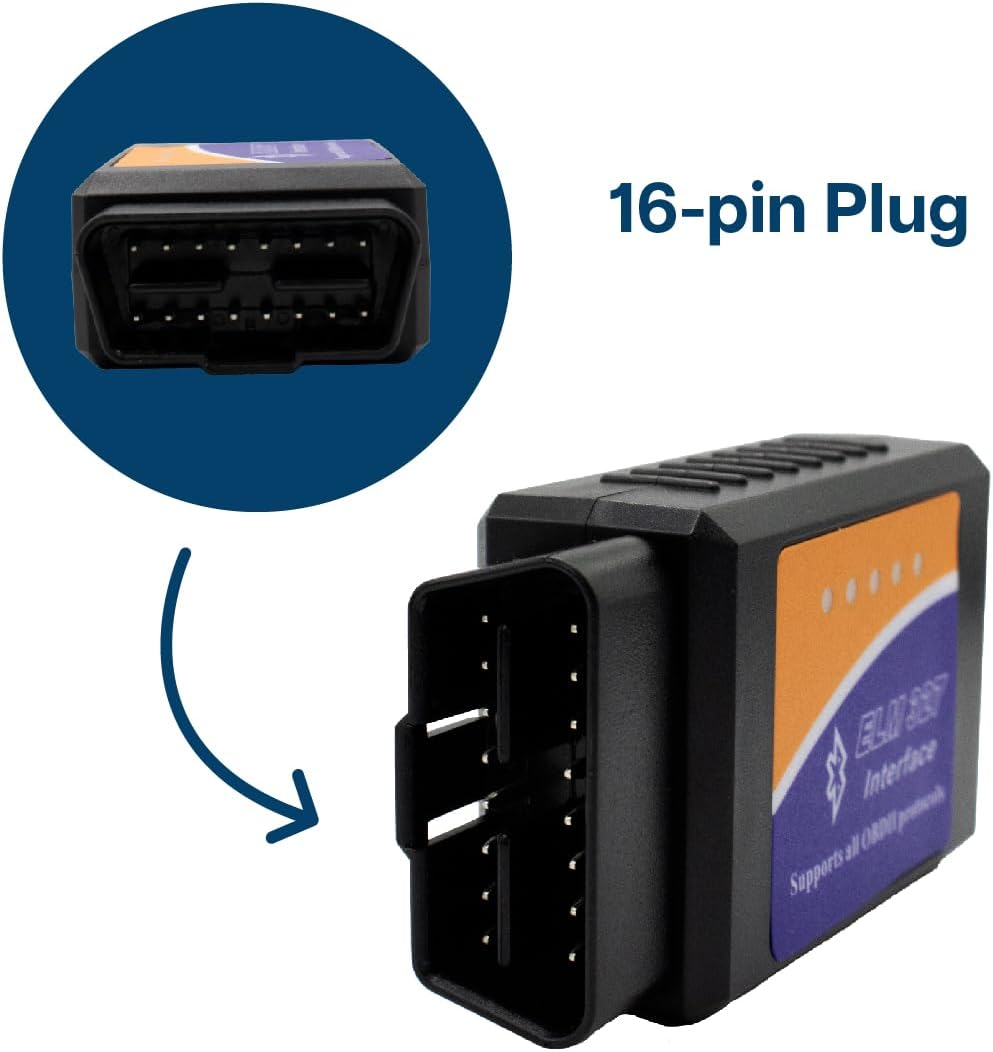
American-made cars manufactured after 1996 should have no issues, while European cars may only be compatible if they were made after 2003. There must be a 16-pin data link connector under the dashboard and the vehicle emission control information label must state that the vehicle is OBD2 compliant. Important: Not for EVs, hybrids and some diesel vehicles!
It is crucial to be wary of compatibility to ensure that this car scanner will work for your vehicle.
The car code reader is compatible with Android, iOS, and Windows devices. To connect the scanner to your device, you need to use 3rd party software. The effectiveness of the scanner may be influenced by the specific 3rd party program you choose. If the scanner doesn’t work switching to a different app could potentially resolve the problem.
Bluetooth OBD2 Car Code Reader – This Bluetooth OBD2 scanner V2.1 allows you access to your vehicle’s internal information through a Bluetooth device like your phone, tablet or laptop. This way you can retrieve information about the engine, emissions, and other relevant data. You can find out why your engine light is on and fix simple problems by yourself, making the scanner extremely convenient for any vehicle owner.
Reading and Clearing Error Messages – The OBD2 car code reader can interpret and clear over 3000 different error messages. This makes the car scanner able to interpret fault codes, clear car fault codes, display sensor data such as engine speed, coolant temperature, car speed, intake manifold pressure, air temperature intake pressure, air flow, throttle position, oxygen sensor voltage, fuel pressure and more.
Car Compatibility – Always be vigilant about compatibility so the scanner can work correctly. American-made cars manufactured after 1996 should have no issues, while European cars may only be compatible if they were made after 2003. There must be a 16-pin data link connector under the dashboard and the vehicle emission control information label must say that the vehicle is OBD2 compliant. Important: Not for electric vehicles, hybrids and some diesel vehicles!
Compatible with Android and iOS – The scanner works with third-party OBD apps like Faslink x, DashCommand, Torque, Infocar, Auto doctor, Four Stroke or OBD Fusion. The effectiveness of the scanner may be influenced by the specific 3rd party software you choose. If the scanner doesn’t work, the issue is likely related to the software being used, and switching to a different software could potentially resolve the problem.
How to Use the Car Scanner – 1. Plug the device in your car’s OBD2 port which typically is located under the dashboard – 2. Start the car – 3. Enable Bluetooth on your phone or tablet – 4. Run the downloaded app – 5. Search for “OBD2” and connect it with your device through the app (pin 1234 or 0000) – 6. Wait until it connects your car’s ECU successfully – 7. Always take the scanner out of your car after you’re done. Leaving the scanner in the OBD port can slowly drain your battery over time.




There are no reviews yet.