

 Gadronics
Available now in beta, Lettera is a standalone Markdown editor app built around the same editor that powers Bear 2. Here are the details.
Lettera now available in beta
In June, 2021, the developers behind the Bear app shared a status update on Panda, the codename for “the next Editor” for Bear. In it, they detailed several new features coming to the app, including “a full switch to Markdown.”
Two years later, Bear 2.0 arrived with more than 20 additions, including the ability to hide Markdown syntax while writing and support for Markdown extensions powering features such as tables, footnotes, and YAML.
This week, the developers announced Lettera, in response to many users who “asked whether [the new editor built for Bear 2.0] could live on its own as a standalone app.”
Here’s Shiny Frog on Lettera:
Lettera is a native, refined Markdown editor for macOS. Built for writers, researchers, developers, and anyone who works with documents, from a quick blog draft to a complete technical documentation system.
Lettera can open individual Markdown files for reading and editing or entire folders that serve as writing workspaces. By default, the app opens a dedicated Lettera folder in iCloud, but users can also open any folder stored on their Mac.
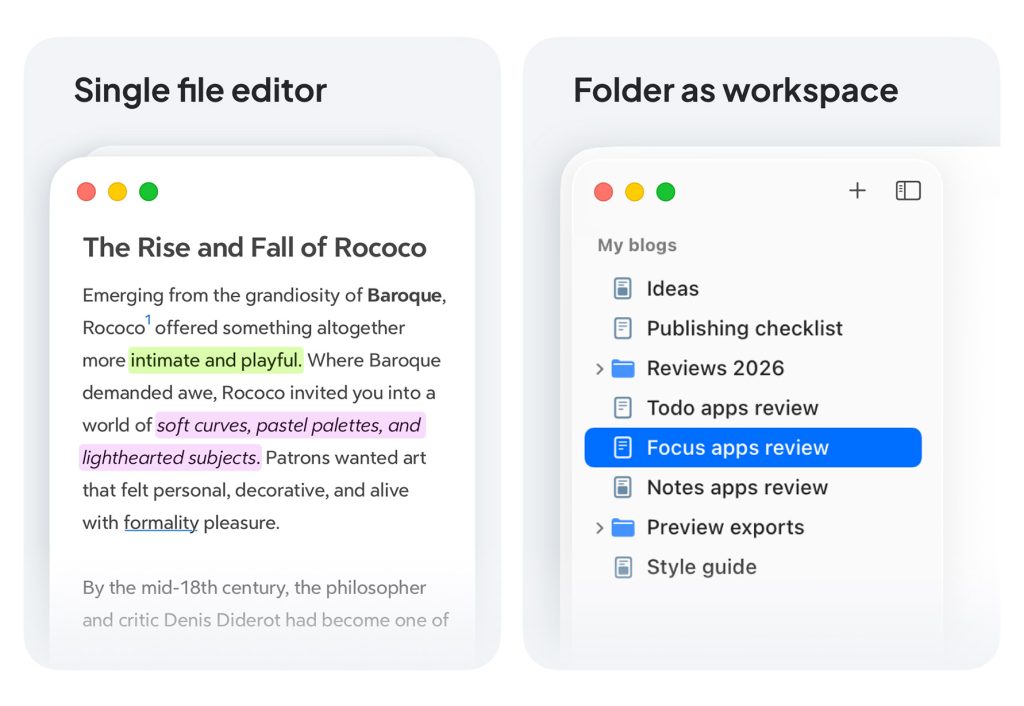
Here’s more on what Lettera can do:
- Write in WYSIWYG Markdown Lettera follows the CommonMark standard with live rendering. Markdown syntax hides when you are not editing, so you can write and preview in one place. A BIU formatting bar is also available for quick styling
- Format with rich styles, tables, quotes, lists, code blocks, inline images and attachments, Math formula with Mathjax, and more
- Share and export Copy your writing as plain text, rich text, Markdown, or HTML. Export to PDF, JPG, ePub, and more when it is time to send your work somewhere
- Manage files and folders directly from the Sidebar without leaving the app. Open files in tabs to work across multiple documents in one place. Image files can be previewed right inside the editor
- Table of Contents Navigate your document with a full outline, and jump to any section in one click
Lettera is now available on TestFlight, allowing users to try it out and provide feedback to help shape its development, from squashing bugs to improving the app’s look, feel, and functionality.
Users can provide feedback directly or join discussions in the new Lettera section of the Bear Community forum.
To learn more about Lettera and join the TestFlight, follow this link.
Worth checking out on Amazon





