

 Gadronics
Spotify is releasing a new version of its mobile app that redesigns the experience for iPad users. The experience is improved for browsing, navigation, and more with four specific features.
Spotify’s tablet update arrives on iPad and Android
Spotify says the latest version is designed to create a “smarter, smoother experience for tablets” including both iPad and Android devices.
“Today we’re introducing a new app experience tailored for your tablet, designed to make listening, watching, and discovery feel more natural on larger screens,” the company says.
The focus on tablets in this update is all about having more screen real estate.
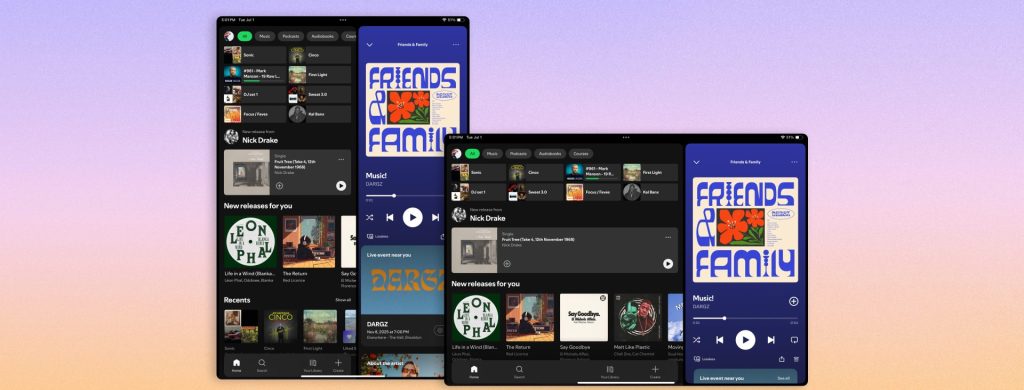
“Rather than simply scaling up mobile components, we designed the tablet experience to take advantage of the extra space, so you can browse and discover new favorites right alongside what you’re already playing,” Spotify says in a blog post. “In addition, improvements we make to mobile can reach tablet users faster.”
Here’s how it looks:
A familiar feel and four new features
Overall, the new Spotify experience on iPad is meant to feel familiar for users coming from other devices. Beyond that, Spotify highlights four design features and capabilities that are part of today’s tablet redesign:
- Adaptive orientation: The interface now reconfigures—not just resizes—as you switch between portrait and landscape, so it feels balanced and intentional in both views.
- A collapsible sidebar: The new sidebar lets you browse and discover alongside your playback, or expands for deeper focus. It also includes interactive, scrollable content so you can explore without leaving what’s playing.
- An enhanced video experience: The “Switch to Video” toggle is now front and center, making it simpler to move into a more immersive viewing experience.
- Parallel browsing: Keep music or video playing on one side of the screen while you explore your library or recommendations on the other.
Today’s iPad release follows a string of Spotify updates, including the ability to disable video, features to improve playlist flow, and even ways to control your recommendations.





